
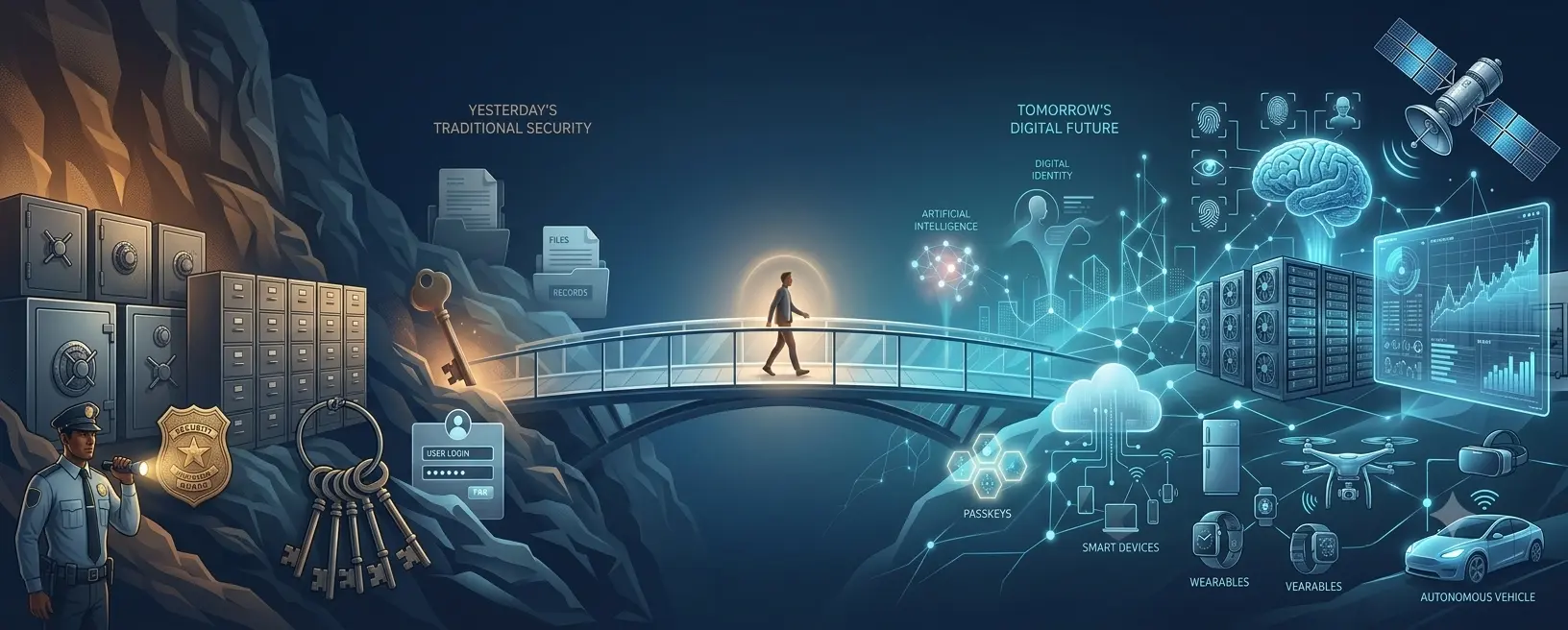

The Circle of Trust
A hundred years ago, many people used a thumb impression to prove their identity because they could not write their name.
Today, the same thumb can:
- unlock a mobile phone,
- approve payments,
- open office systems,
- verify attendance,
- authorize digital services.
The method looks different, but the fundamental question has not changed:
How do we prove that someone is really who they claim to be?
Human beings have always searched for reliable ways to establish trust.
A signature. A key. A password. A security card. A fingerprint. A face. A passkey.
Each generation believes it has found a better answer. Often, it has found a better answer for a specific problem.
But no method has ever been perfect.
Why This Guide Exists
When a new technology arrives, people usually move to one of two extremes.
Some say: "This is the future. Everyone must adopt it immediately."
Others say: "This is risky. We should avoid it completely."
Both reactions can create problems.
Technology should neither be blindly trusted nor automatically rejected.
The better question is:
What problem does this solve? What risks does it reduce? What new considerations does it introduce?
This guide is about learning that way of thinking.
Not just for authentication.
Not just for cybersecurity.
But for any important technology decision.
The Journey — Understanding Security
The Biggest Security Mistake — Searching for Perfect Protection
Scenario
A company decides to improve its security.
After reviewing several options, the leadership team selects a modern security platform. It introduces stronger login controls, better monitoring, and new authentication methods.
The implementation is successful.
Employees receive training. Reports show improved security scores. Everyone feels more confident.
The conclusion becomes:
"We have solved our security problem."
A few months later:
- An employee receives a convincing phishing message and shares information with an attacker.
- A critical employee loses access to a device without a recovery plan.
- A former employee's access is not removed immediately.
- A backup process fails when it is needed most.
The security technology worked.
But the organization discovered something important:
Security was never only about the technology.
What Actually Happened?
The organization made a common human assumption:
A stronger tool automatically creates complete protection.
But security does not work like buying a product and completing a task.
A lock protects a door.
But real security also depends on:
- who has the key,
- whether the key can be copied,
- whether someone notices unusual activity,
- whether there is a backup plan when the key is lost.
Digital security follows the same principle.
A password manager, multi-factor authentication, biometrics, passkeys, monitoring systems, and security tools can all improve protection.
But each one addresses specific risks.
No single technology understands:
- human behaviour,
- changing circumstances,
- unexpected failures,
- poor decisions,
- new attack methods.
Security is therefore not a destination.
It is a continuous process of understanding risk, improving protection, and preparing for failure.
Why It Matters
The search for perfect protection creates two opposite mistakes.
Mistake 1: Blind Trust
A person or organization adopts a new technology and assumes:
"This problem is now finished."
This can create a false sense of safety.
Mistake 2: Complete Avoidance
A person or organization avoids new technology because:
"Every new thing creates risk."
This can create another problem.
Avoiding useful technology may force people toward weaker alternatives.
For example:
- Blocking password managers may cause people to reuse passwords.
- Blocking useful AI tools may encourage employees to use unofficial services.
- Avoiding cloud services may result in unmanaged local storage.
The goal is not to remove all technology.
The goal is to use technology intelligently.
Common Misconception
Myth:
The newest security technology is always the safest option.
Reality:
New technologies are usually created because older methods have weaknesses.
They often provide significant improvements.
However, every technology has:
- strengths,
- limitations,
- correct use cases,
- new considerations.
A passkey can reduce phishing risk.
A biometric can improve convenience.
A hardware security key can provide stronger protection.
But each still requires:
- correct setup,
- recovery planning,
- secure devices,
- responsible usage.
The Principle
Security is not about finding one perfect solution. Security is about building resilience through appropriate layers.
A strong security approach usually looks like this:
Resilience
↑
Recovery Planning
↑
Monitoring & Awareness
↑
Authentication Protection
↑
Device Protection
↑
Human Decisions
Each layer supports the others.
If one layer fails, another layer helps reduce the impact.
Decision Guide
Before choosing any security method, ask:
1. What am I protecting?
Examples:
- Personal photos
- Email account
- Financial information
- Customer data
- Business systems
Different assets require different levels of protection.
2. What could happen if it fails?
Consider:
- Financial loss
- Privacy impact
- Business interruption
- Reputation damage
- Loss of access
3. What type of protection fits the risk?
| Situation | Consider |
|---|---|
| Everyday personal accounts | Strong passwords, password manager, MFA |
| Important personal accounts | MFA, passkeys, recovery planning |
| Financial accounts | Strong authentication, alerts, careful recovery options |
| Business systems | Identity management, access control, monitoring |
| High-risk accounts | Hardware security keys, stronger controls |
The goal is not maximum security everywhere.
The goal is appropriate security where it matters.
Pause and Think
Take a moment to consider:
- Do I know which of my accounts are most important?
- If my phone disappeared today, what would I lose access to?
- Do I have recovery options for my important accounts?
- Am I choosing security methods because they are appropriate, or simply because they are popular?
Leadership Reflection
Organizations often respond to security concerns by adding more restrictions.
But restrictions alone do not create security.
Consider:
- Are employees given secure alternatives?
- Are security controls practical enough to be followed?
- Are we measuring real risk reduction or only compliance?
- What happens when our main security control fails?
A secure organization is not one that blocks everything.
A secure organization is one that enables people to work safely.
Quick Checklist
✓ Identify your most important digital assets.
✓ Understand which accounts can reset other accounts.
✓ Enable stronger authentication where the risk justifies it.
✓ Keep recovery information updated.
✓ Avoid depending on only one security layer.
✓ Review security decisions when circumstances change.
Looking Ahead
The search for perfect protection will continue.
Future technologies may replace today's methods.
Passwords may become less visible.
Authentication may become more automated.
AI may participate in decisions and transactions on behalf of people.
New opportunities will appear.
New risks will appear.
The technology will change.
The principle will remain:
Understand what you are protecting. Understand the risks.Choose appropriate protection. Prepare for failure.
Security maturity does not come from having the newest tool.
It comes from making better decisions over time.
Security Starts With Risk, Not Technology
Scenario
A family purchases a high-end security camera system for their home.
The system has advanced features:
- AI detection,
- mobile alerts,
- cloud recording,
- facial recognition.
They feel secure because they invested in the latest technology.
However, they use the same simple password they have used for years.
The Wi-Fi router has not been updated.
The recovery email for the account is no longer accessible.
The technology is advanced.
But the overall protection is weak.
A similar situation happens in organizations.
A company invests heavily in advanced security tools.
They have:
- monitoring platforms,
- identity systems,
- security dashboards,
- compliance reports.
But employees are unsure how to report suspicious activity.
Access is not reviewed regularly.
Former users still have unnecessary permissions.
The technology exists.
The risk remains.
What Actually Happened?
The mistake was starting with technology instead of risk.
The question was:
"What security product should we buy?"
Instead of:
"What are we protecting, and what could happen if it fails?"
Security decisions become stronger when they begin with understanding:
- the asset,
- the threat,
- the impact,
- the required protection level.
A bicycle and a bank both need protection.
A bicycle lock may be completely appropriate for a bicycle.
It would not be appropriate for protecting a bank vault.
The difference is not the lock.
The difference is the value and consequence involved.
Digital security follows the same principle.
Why It Matters
Many security mistakes happen because people focus on features instead of outcomes.
They ask:
- Does this technology have AI?
- Is this the newest solution?
- Does another company use it?
- Does it have more features?
But the better questions are:
- Does it solve my actual risk?
- Does it protect what matters most?
- Can people use it correctly?
- What happens if it fails?
A simple solution correctly applied is often better than an advanced solution poorly implemented.
Common Misconception
Myth:
More security technology always means more security.
Reality:
Security improves when the right controls are applied to the right risks.
Adding unnecessary complexity can sometimes create new problems:
- users bypass controls,
- people create unsafe workarounds,
- teams stop understanding the systems they manage.
The goal is not maximum controls.
The goal is effective protection.
The Principle
Security should be designed around risk, not around technology popularity.
A practical security decision follows this thinking:
What are we protecting?
↓
What could happen if lost?
↓
How likely is the risk?
↓
What protection is appropriate?
↓
How do we recover if it fails?
Decision Guide
Before selecting a security method, evaluate five questions.
1. What is the value of the asset?
Examples:
Low impact:
- A temporary account
- A public profile
Higher impact:
- Primary email
- Financial accounts
- Customer information
- Business administration accounts
2. What is the impact of compromise?
Consider:
- Can someone steal money?
- Can someone impersonate me?
- Can someone access private information?
- Can business operations stop?
3. Who needs access?
Security requirements change depending on access.
Examples:
- Personal account
- Family-shared account
- Employee account
- Administrator account
4. How much inconvenience is acceptable?
Security always involves balance.
A person checking social media may need a different approach from someone managing critical infrastructure.
5. What happens when something goes wrong?
A good security design includes recovery.
Ask:
- Can access be restored?
- Is there a backup method?
- Is responsibility clear?
Example: Choosing Protection by Risk
| Situation | Main Risk | Appropriate Thinking |
|---|---|---|
| Social media account | Account takeover | Strong password + MFA |
| Primary email | Identity compromise | Strong authentication + recovery planning |
| Banking | Financial loss | Strong authentication + alerts |
| Company administrator account | Major business impact | Strong identity controls + hardware security options |
| Critical infrastructure | Operational damage | Highest protection + strict access management |
Pause and Think
Consider your own digital life:
- Which account would create the biggest problem if someone accessed it?
- Are you protecting that account more strongly than less important accounts?
- Are you using the same protection everywhere because it is convenient?
Leadership Reflection
Organizations often make one of two mistakes:
Mistake 1: Under-protection
Important systems receive basic protection because stronger controls seem inconvenient.
Mistake 2: Over-restriction
Every system receives maximum controls regardless of actual risk.
A mature organization asks:
- What needs the strongest protection?
- What needs practical protection?
- Where does additional complexity create more problems than value?
Security strategy should be risk-based, not fear-based.
Quick Checklist
✓ Identify your most important assets.
✓ Rank accounts by impact, not convenience.
✓ Apply stronger controls to higher-risk areas.
✓ Avoid unnecessary complexity.
✓ Review access regularly.
✓ Have a recovery plan before you need it.
Looking Ahead
Risk-based thinking becomes even more important as technology advances.
AI, cloud services, connected devices, and digital identities will continue expanding.
The number of available technologies will increase.
The ability to choose wisely will become more valuable.
The future will not belong to those who use the most technology.
It will belong to those who understand:
What problem they are solving, what risk they are accepting, and what protection is appropriate.
Understanding Yourself
Your Digital Identity Has a Center
Scenario
Meera has always considered her email account as just another service.
She uses it for:
- personal messages,
- newsletters,
- online shopping,
- social media notifications.
One day, she loses access to her email account.
Initially, she thinks:
"I will just create another email account."
Then she discovers:
- Her banking account uses that email for recovery.
- Her cloud photos are connected to it.
- Her important documents are stored through services linked to it.
- Many passwords can be reset through it.
- Important notifications arrive there.
The problem is no longer just email.
Her digital identity is affected.
A similar situation happens in organizations.
An employee leaves a company.
Their email account is disabled.
But over time, the organization discovers:
- Some services were registered using that email.
- Some systems still depend on that identity.
- Some access permissions were never reviewed.
- Some business processes depended on one person.
One identity became connected to many things.
What Actually Happened?
The person or organization protected individual accounts but did not understand the relationship between them.
In the physical world, we naturally understand important keys.
The key to your home.
The key to your vehicle.
The key to a safe.
Some keys provide access to more valuable things than others.
Digital identity works the same way.
Some accounts are simply accounts.
Others are identity centers.
They control access to many other parts of life.
The Digital Identity Center
A person's digital life often looks like this:
Banking
↑
Cloud Storage ◄── Email/Mobile ──► Social Accounts
↓
Shopping Accounts
↓
Other Online Services
The center is often not the account we think about most.
It is the account that can recover or control the others.
Why It Matters
Many people protect accounts based on how often they use them.
But importance is not always based on usage.
A rarely opened email account may be more important than a frequently used social media account if it controls recovery for many services.
The question is not:
"Which account do I use the most?"
The better question is:
"Which account creates the greatest impact if someone gains control of it?"
Digital identity protection matters because modern life is interconnected.
A single compromised identity can affect:
- personal privacy,
- finances,
- communication,
- reputation,
- professional access.
Common Misconception
Myth:
All accounts are equally important. If I protect them all the same way, I am secure.
Reality:
Accounts have different levels of importance.
A security approach should prioritize:
- Accounts that recover other accounts.
- Accounts containing sensitive information.
- Accounts connected to financial or professional activities.
- Accounts representing your identity.
Not every account needs the same protection level.
The Principle
Protect the accounts that protect your other accounts first.
Your strongest security should usually be applied to your digital identity centers.
Examples:
- Primary email
- Password manager
- Financial accounts
- Work identity accounts
- Cloud storage containing important information
Decision Guide
Step 1: Identify Your Identity Centers
Ask:
- Which account receives password reset messages?
- Which account stores important information?
- Which account verifies my identity?
- Which account would create the biggest disruption if lost?
Step 2: Protect the Foundation First
Consider stronger protection for:
✓ Primary email
✓ Password manager
✓ Banking access
✓ Work accounts
✓ Cloud storage
Step 3: Plan Recovery
Strong protection without recovery planning can create problems.
Consider:
- Backup authentication methods.
- Recovery codes stored safely.
- Updated recovery contacts.
- Emergency access planning where appropriate.
Step 4: Review Connected Services
Occasionally check:
- Which apps have access?
- Which old accounts are still active?
- Which services are no longer needed?
Unused access can become hidden risk.
Example: Identity Priority Map
| Account Type | Importance | Protection Consideration |
|---|---|---|
| Primary email | Very High | Strong authentication + recovery planning |
| Password manager | Very High | Strong protection + secure backup |
| Banking | Very High | Strong authentication + alerts |
| Work identity | High | Organization security controls |
| Social media | Medium to High | MFA and recovery options |
| Low-value services | Depends | Appropriate protection based on impact |
Pause and Think
Ask yourself:
- If I lose my main email today, what else is affected?
- Do I know which accounts depend on it?
- Are my recovery details current?
- Does someone I trust know what to do in an emergency?
Leadership Reflection
Organizations also have identity centers.
Examples:
- Administrator accounts.
- Service accounts.
- Identity providers.
- Executive access.
- Critical application owners.
Questions leaders should ask:
- Do we know our most critical identities?
- Are privileged accounts protected differently?
- Are access rights reviewed regularly?
- What happens when a key person is unavailable?
Identity management is not only an IT responsibility.
It is business resilience.
Quick Checklist
✓ Identify your primary digital identity accounts.
✓ Protect recovery accounts strongly.
✓ Review connected applications periodically.
✓ Remove unused access.
✓ Keep recovery information updated.
✓ Plan for device loss or account recovery.
✓ Avoid depending on only one person or one method.
Looking Ahead
The concept of digital identity will continue to evolve.
Today, people manage usernames and accounts.
Tomorrow, identity may involve:
- digital wallets,
- AI assistants acting on behalf of users,
- verified credentials,
- decentralized identity systems.
The technology will change.
The question will remain the same:
Who are you, what are you allowed to access, and how do we establish trust safely?
Understanding your digital identity today prepares you for a more connected future.
Understanding Technologies
Passwords — The Oldest Digital Key
Scenario
Raj has more than 50 online accounts.
Over the years, he created passwords for:
- email,
- banking,
- shopping,
- social media,
- work systems,
- subscriptions.
Initially, he tried to create different passwords everywhere.
But remembering them became difficult.
Slowly, he started making small changes:
- adding numbers,
- changing the last character,
- reusing familiar patterns.
He thought:
"My password is complicated enough. Nobody will guess it."
One day, a service he used experiences a data breach.
The attackers obtain old user credentials.
The password he reused on another service gives them access to his account.
The password did its job.
But the way it was managed created the weakness.
Organizations experience similar challenges.
A company requires employees to change passwords regularly.
Employees follow the rule.
But some start writing passwords down.
Others reuse similar passwords.
Some create predictable patterns.
The policy exists.
The intended security outcome does not.
What Actually Happened?
Passwords were designed around a simple idea:
If you know the secret, you are probably the right person.
This worked well when digital systems were smaller.
A person had:
- fewer accounts,
- fewer devices,
- fewer online services.
Today, the situation is different.
People have dozens or hundreds of digital identities.
Attackers also changed their methods.
They no longer need to guess every password manually.
They can use:
- stolen password databases,
- automated attempts,
- phishing,
- social engineering,
- reused credentials from previous breaches.
The weakness is not only the password itself.
The challenge is managing secrets at a scale humans were never designed for.
Why It Matters
Passwords remain one of the most widely used authentication methods because they have advantages:
- They are simple.
- They work on almost every platform.
- They are easy to understand.
- They do not require special hardware.
But they also have limitations:
- People reuse them.
- People choose predictable patterns.
- People accidentally share them.
- People forget them.
- Organizations struggle to manage them securely.
The problem is not that passwords are useless.
The problem is that passwords alone are carrying more responsibility than they were designed to handle.
Common Misconception
Myth:
A sufficiently complex password makes an account completely secure.
Reality:
A strong password is important, but security depends on the complete situation:
- Where the password is stored.
- Whether it is reused.
- Whether the service protects it properly.
- Whether additional authentication exists.
- Whether recovery methods are secure.
A very strong password used everywhere becomes a single point of failure.
A simple password strategy applied correctly with stronger layers may be safer than a complex password used poorly.
The Principle
Passwords are a security layer, not a complete security strategy.
A password answers one question:
"Do you know the secret?"
Modern security often needs additional questions:
"Do you have the trusted device?"
"Can you prove possession?"
"Can suspicious behaviour be detected?"
Strong security comes from combining appropriate layers.
Password Evolution
Passwords themselves have evolved:
Simple Passwords
↓
Complex Password Rules
↓
Password Managers
↓
Multi-Factor Authentication
↓
Passkeys and Passwordless Methods
The evolution does not mean passwords failed.
It means the environment changed.
Decision Guide
When Passwords Can Be Appropriate
Passwords may still be suitable when:
✓ The account has limited impact.
✓ A strong unique password is used.
✓ A password manager is available.
✓ Additional protection is enabled where possible.
When Stronger Protection Should Be Considered
Consider additional authentication when:
✓ The account controls other accounts.
✓ Financial information is involved.
✓ Business systems are accessed.
✓ Sensitive information is stored.
✓ Account compromise would create major impact.
Better Password Practices
Use Unique Passwords
Avoid:
One password for everything.
Prefer:
One unique password per important account.
Use a Password Manager
A password manager helps because:
- You do not need to remember every password.
- Strong random passwords can be created.
- Reuse becomes easier to avoid.
The goal is not human memory becoming stronger.
The goal is reducing dependence on human memory.
Be Careful With Recovery
Many people protect their password but ignore recovery.
Consider:
- Is the recovery email secure?
- Is the recovery phone number current?
- Are backup codes stored safely?
Account recovery is part of authentication security.
Example: Password Protection by Situation
| Situation | Password Approach |
|---|---|
| Low-impact account | Unique password |
| Personal email | Strong unique password + additional protection |
| Banking | Strong authentication + monitoring |
| Work account | Organization security controls |
| Administrator account | Strong authentication methods beyond password alone |
Pause and Think
Ask yourself:
- How many accounts use similar passwords?
- If one password leaked today, what could happen?
- Do I know where my important passwords are stored?
- Is my primary email protected more strongly than ordinary accounts?
Leadership Reflection
Organizations often create password policies but overlook human behaviour.
Consider:
- Are password rules making people safer or just more frustrated?
- Do employees have secure password management options?
- Are privileged accounts protected differently?
- Are old accounts and unused access removed?
A good password policy should help people behave securely.
A difficult policy that encourages workarounds can create new risks.
Quick Checklist
✓ Use unique passwords for important accounts.
✓ Use a trusted password manager where appropriate.
✓ Avoid password reuse.
✓ Enable stronger authentication when available.
✓ Review recovery methods.
✓ Remove unused accounts.
✓ Never share passwords through unsafe channels.
Looking Ahead
Passwords will continue to exist for some time.
They may become less visible as authentication evolves.
Future systems may rely more on:
- passkeys,
- device-based authentication,
- cryptographic identity,
- trusted digital credentials.
But the fundamental lesson remains:
Secrets must be protected, and identity must be verified appropriately.
Passwords were an important step in the history of digital trust.
Understanding their strengths and limitations helps us make better decisions about what comes next.
SMS Authentication — Better Than Nothing, But Not the End
Scenario
Anita receives a notification:
"Someone is trying to sign in to your account. Enter the verification code to continue."
She feels protected because she has enabled two-step verification.
She enters her password.
A few seconds later, she receives an SMS code.
She enters the code.
The login succeeds.
Anita thinks:
"Even if someone knows my password, they cannot access my account because I have two-factor authentication."
The next day, she notices unusual activity.
The attacker was not trying to break the SMS system.
The attacker was trying to trick her into sharing the code.
Another example:
A person changes mobile providers.
During the transition, their phone number is transferred to a new SIM.
Later, they discover that some accounts relying only on SMS verification are at risk.
The security layer depended on the phone number remaining under their control.
What Actually Happened?
SMS authentication was created to solve an important problem:
Passwords alone were too weak.
The idea was:
"A password is something you know. A phone receiving a code is something you have."
This was a meaningful improvement.
It introduced an additional factor.
However, the security model depended on assumptions:
- The phone number belongs to the correct person.
- The mobile network connection is secure.
- The user will not reveal the code.
- The message reaches only the intended person.
As attackers became more advanced, some of these assumptions became weaker.
Why It Matters
SMS authentication reduced many common password attacks.
For example:
A stolen password alone was no longer enough.
This helped many people and organizations improve security.
However, SMS codes can be affected by different risks:
Phishing
Attackers create fake login pages and ask users to enter:
- username,
- password,
- SMS code.
The user believes they are completing a normal login.
The attacker uses the information immediately.
SIM Swap Attacks
An attacker convinces a mobile provider to move a phone number to another SIM.
If successful, they may receive SMS messages intended for the real owner.
Phone Number Dependency
A phone number is convenient.
But it is not the same as a person's permanent identity.
Numbers can change.
Numbers can be transferred.
Numbers can be reassigned.
Common Misconception
Myth:
If I have SMS two-factor authentication, my account is completely protected.
Reality:
SMS authentication is usually better than password-only protection, but it is not equally strong against every type of attack.
It protects well against some risks.
It is weaker against others.
The correct question is not:
"Is SMS secure or insecure?"
The better question is:
"What risk does SMS reduce, and what risks remain?"
The Principle
Adding more authentication steps improves security only when the additional step is resistant to the threats you are trying to prevent.
A second lock is useful.
But the quality of the lock matters.
Authentication strength depends on:
Authentication Strength
↑
Resistant to the attack method
↑
Appropriate for the risk level
↑
Correct implementation
Authentication Evolution
SMS was an important step in authentication history:
Password Only
↓
Password + SMS Code
↓
Authenticator Applications
↓
Security Keys
↓
Passkeys
Each stage attempted to solve weaknesses discovered in previous methods.
Decision Guide
When SMS May Still Be Useful
SMS can be reasonable when:
✓ It is the only available additional protection.
✓ The account risk is moderate.
✓ It is better than using a password alone.
✓ More secure options are unavailable.
When Stronger Methods Should Be Considered
Consider alternatives when:
✓ The account is highly important.
✓ The account controls other accounts.
✓ Financial or sensitive information is involved.
✓ You are protecting business-critical access.
Examples:
- Primary email.
- Administrator accounts.
- Financial services.
- Important business systems.
Better Authentication Choices
A practical preference order may be:
Passkeys / Security Keys
↓
Authenticator Applications
↓
SMS Authentication
↓
Password Only
This does not mean every person must immediately use the strongest method everywhere.
It means the protection level should match the importance of the account.
Example: Choosing the Right Method
| Account | Consideration |
|---|---|
| Low-impact account | Password + available MFA |
| Primary email | Strong MFA or passkey |
| Banking | Provider-supported strong authentication |
| Business administrator | Strong phishing-resistant methods |
| Critical systems | Highest available protection + recovery planning |
Pause and Think
Ask yourself:
- Which of my accounts still use SMS as the strongest protection?
- If my phone number changed tomorrow, would I lose access?
- Have I reviewed stronger authentication options?
- Am I using SMS because it is the best option or because it was the easiest option?
Leadership Reflection
Organizations often enable SMS authentication because it is easy to deploy.
That is understandable.
However, leaders should consider:
- Which users have higher risk?
- Which accounts need stronger protection?
- Are employees trained against phishing?
- Are recovery processes secure?
Security should evolve as the risk changes.
A control that was appropriate years ago may need improvement today.
Quick Checklist
✓ Enable multi-factor authentication where available.
✓ Prefer stronger methods for important accounts.
✓ Do not share verification codes with anyone.
✓ Be cautious of unexpected login requests.
✓ Keep phone number recovery details updated.
✓ Review whether critical accounts still depend only on SMS.
Looking Ahead
The movement away from SMS authentication does not mean SMS was a bad idea.
It solved a real problem.
It helped millions of people move beyond password-only security.
But technology changes because attackers adapt.
The future direction is toward authentication methods that can prove identity without exposing reusable information.
That leads us to the next evolution:
Biometrics — Convenience Meets Identity
A method that feels very natural because it uses something we already carry with us: ourselves.
But even identity-based authentication has important questions:
- What happens if it is misused?
- What happens if it fails?
- How do convenience and security balance?
Biometrics — Convenience Meets Identity
Scenario
Ravi buys a new smartphone.
During setup, the phone asks him to register his fingerprint.
Within seconds, he can:
- unlock his phone,
- approve payments,
- access applications.
He enjoys the convenience.
No typing.
No remembering.
No repeated verification steps.
After some time, he hears a discussion about biometric risks.
Someone asks:
"What happens if someone forces you to unlock your phone using your fingerprint?"
Another person says:
"A fingerprint cannot be stolen like a password."
Ravi realizes something important:
Both statements represent different parts of the truth.
Organizations face similar decisions.
A company introduces biometric attendance systems.
The system improves convenience:
- employees do not need cards,
- attendance becomes faster,
- administration becomes easier.
But questions arise:
- Where is biometric data stored?
- Who can access it?
- What happens if the database is compromised?
- Are there alternative methods?
The technology works.
The security decisions around it matter.
What Actually Happened?
Biometrics changed the authentication model.
Traditional authentication often asks:
"What do you know?"
Examples:
- Password.
- PIN.
- Security answer.
Biometrics asks:
"What are you?"
Examples:
- Fingerprint.
- Face.
- Iris.
- Voice pattern.
This creates a major convenience improvement.
People naturally carry their biometric identity.
They do not forget it.
They do not need to type it.
They do not need to carry a physical key.
However, biometrics also introduce a different security consideration:
A password is a secret.
A biometric is a characteristic.
They behave differently.
Why It Matters
Biometrics are powerful because they improve usability.
Security systems often fail when they are too difficult to use.
A method that people cannot or will not use correctly may create weaker real-world security.
For example:
A person may choose:
- a weak password,
- repeated passwords,
- unsafe storage methods,
because remembering complex passwords is difficult.
A fingerprint or face unlock can reduce this friction.
However, convenience should not remove thoughtful security planning.
Common Misconception
Myth:
Biometrics are either completely secure or completely unsafe.
Reality:
Biometrics have strengths and limitations.
They are strong in some situations:
✓ Difficult to casually share.
✓ Convenient for everyday authentication.
✓ Reduce dependence on memorized secrets.
But they also have unique considerations:
⚠ A fingerprint cannot be changed like a password.
⚠ Physical access situations create different risks.
⚠ Privacy and data protection become important.
⚠ Recovery planning is still required.
The question is not:
"Are biometrics good or bad?"
The better question is:
"Where and how should biometrics be used?"
The Principle
Biometrics are excellent for proving presence and convenience, but they should be part of a broader security design.
A mature security approach combines:
Identity Protection
↑
Biometric Factor
┌───────────┴───────────┐
Device Security       Recovery Planning
│
Other Controls
The biometric is one layer.
It is not the entire security system.
Understanding Biometric Security
1. Local Device Protection
Modern personal devices often process biometric data locally.
For example:
- the fingerprint template may stay on the device,
- applications may receive confirmation rather than the raw biometric data.
This reduces some risks compared with storing everyone's biometric information centrally.
However, users should still understand:
- device security,
- updates,
- account protection,
- recovery options.
2. Physical Threats
A concern people often raise is:
"Someone could physically force biometric access."
This is different from phishing or password theft.
The risk exists because biometrics involve physical presence.
Different devices and services handle this differently.
Examples may include:
- requiring a passcode after restart,
- disabling biometric unlock temporarily,
- allowing alternate authentication methods.
The important lesson:
Security must consider both digital attacks and real-world situations.
3. Privacy Considerations
Biometric information is personal.
Organizations using biometrics should consider:
- Why is it collected?
- Where is it stored?
- Who can access it?
- How long is it retained?
- What alternatives exist?
The strongest security technology can still create problems if governance is weak.
Decision Guide
When Biometrics Are a Good Fit
Consider biometrics when:
✓ Convenience is important.
✓ The device is personally controlled.
✓ Strong device security exists.
✓ A backup authentication method is available.
Examples:
- Smartphone unlocking.
- Personal device access.
- Everyday application authentication.
When Additional Care Is Needed
Be more cautious when:
✓ Biometric information is stored centrally.
✓ Many people need access.
✓ The consequences of misuse are high.
✓ There is no alternative recovery method.
Examples:
- Large employee databases.
- High-security environments.
- Critical systems.
Biometrics Compared With Passwords
| Feature | Password | Biometrics |
|---|---|---|
| Can be changed | Yes | Usually no |
| Easy to forget | Yes | No |
| Easy to share accidentally | Yes | Less likely |
| Privacy concerns | Moderate | Higher |
| Convenience | Lower | Higher |
| Depends on secrecy | Yes | No |
Neither method is perfect.
They solve different problems.
Pause and Think
Consider:
- Where am I using biometrics today?
- Do I know what happens if biometric authentication fails?
- Do I have another secure way to recover access?
- Am I using biometrics because they are convenient, or because they fit the risk?
Leadership Reflection
Organizations adopting biometrics should think beyond implementation.
Questions to ask:
- Is biometric collection necessary?
- Is there a less sensitive alternative?
- How is biometric information protected?
- Are employees informed about usage?
- What happens during system failure?
Security includes technology, privacy, trust, and user acceptance.
Quick Checklist
✓ Keep devices updated.
✓ Use device passcodes along with biometrics.
✓ Understand recovery options.
✓ Review privacy settings.
✓ Avoid unnecessary biometric collection.
✓ Use stronger controls for higher-risk situations.
✓ Do not assume convenience equals complete security.
Looking Ahead
Biometrics represent an important change in digital identity.
They moved authentication closer to human experience:
"I am the key."
But the future of identity will likely combine multiple approaches:
- biometrics,
- devices,
- cryptographic credentials,
- trusted digital identities.
The question will not only be:
"Can the system recognize me?"
It will also be:
"Can the system recognize me safely, privately, and appropriately?"
Biometrics are not the end of authentication.
They are one important step in the continuing journey of proving trust.
Passkeys — Solving the Phishing Problem
Scenario
Anita receives an email:
"Your account requires urgent verification. Sign in now to avoid losing access."
The email looks professional.
The logo is correct.
The wording feels genuine.
She clicks the link.
The website looks exactly like the real service.
In the past, Anita would have entered:
- username,
- password,
- SMS code.
An attacker could capture those details and immediately use them.
But this time, Anita uses a passkey.
The authentication request fails.
Why?
Because the passkey does not prove:
"I know a secret."
It proves:
"I am using the trusted device and the real service."
The fake website cannot receive what it needs.
Organizations face the same challenge.
Employees can be trained.
Security warnings can be displayed.
Phishing simulations can be performed.
But attackers continue improving their methods.
The problem is not only weak passwords.
The problem is that humans can be convinced to provide valid information to fake systems.
What Actually Happened?
Traditional authentication often works like this:
User
↓
Provides Secret
↓
Service Checks Secret
↓
Access Granted
The secret is valuable because whoever knows it can potentially use it.
This creates a problem:
If an attacker tricks someone into entering the secret into a fake website, the attacker has a reusable credential.
Passkeys change the model.
Instead of sharing a secret, they use cryptographic proof.
Simplified:
During Setup:
Device creates two related keys

┌─────────────┐
│ Private Key │
└─────────────┘
┌────────────┐
│ Public Key │
└────────────┘

Service stores Public Key

Device protects Private Key
During login:
Service sends challenge
↓
Device proves ownership
↓
Service verifies proof
↓
Access granted
The private key does not get sent to the website.
Why It Matters
Phishing works because attackers exploit trust.
A person may not know:
- the website is fake,
- the email is fake,
- the login request is fake.
Traditional authentication can accidentally help attackers because users may provide valid credentials.
Passkeys are designed to reduce this problem.
They are considered phishing-resistant authentication because the authentication process is tied to the legitimate website or service.
This addresses a major weakness:
Before:
"Can I convince someone to give me their secret?"
After:
"Can I create a valid cryptographic relationship with the real user and service?"
That is a much harder problem for attackers.
Common Misconception
Myth:
Passkeys mean nobody can ever access my account.
Reality:
Passkeys significantly reduce certain risks, especially phishing and credential theft.
However, security still depends on:
- device security,
- account recovery,
- protecting connected devices,
- responsible access management.
A stolen or compromised device can still create problems.
Passkeys improve authentication.
They do not eliminate every possible security issue.
The Principle
The strongest authentication methods reduce the amount of valuable information users can accidentally give to attackers.
A good security design does not only ask:
"Can we verify the user?"
It also asks:
"Can we prevent attackers from impersonating the system and tricking the user?"
Passkeys improve both sides:
- The user proves identity.
- The service verifies the proof.
- The secret remains protected.
Understanding Passkey Security
1. No Reusable Secret for Attackers
With passwords: Password entered → Password can be stolen
With passkeys: Private key stays protected → Proof is created when needed
Attackers do not receive something they can simply reuse.
2. Website Binding
A major strength is that passkeys are linked to the legitimate service.
A fake website cannot normally request authentication in the same way as the real website.
This directly targets phishing.
3. Device Protection Still Matters
The private key must be protected.
Important factors include:
- device security,
- screen lock,
- software updates,
- account protection.
The authentication method is stronger, but the environment still matters.
Decision Guide
When Passkeys Are Highly Valuable
Consider passkeys for:
✓ Primary email accounts.
✓ Financial accounts where supported.
✓ Important personal services.
✓ Business accounts.
✓ Administrator accounts.
✓ Any account frequently targeted by phishing.
When Additional Planning Is Needed
Consider:
✓ What happens if the device is lost?
✓ How will recovery work?
✓ Are multiple trusted devices configured?
✓ Are backup methods protected?
Strong authentication requires strong recovery.
Passkeys Compared With Earlier Methods
| Method | Main Strength | Main Challenge |
|---|---|---|
| Password | Simple and universal | Can be stolen and reused |
| SMS | Adds another step | Vulnerable to phishing and SIM-related risks |
| Authenticator App | Stronger second factor | Still requires user interaction |
| Biometrics | Convenient verification | Depends on device and privacy controls |
| Passkeys | Phishing-resistant authentication | Requires recovery planning |
Example: Authentication Evolution
Password
"Do you know the secret?"
↓
SMS Code
"Do you have the phone number?"
↓
Authenticator
"Can you approve this request?"
↓
Passkey
"Can your trusted device prove your identity?"
Pause and Think
Consider:
- Which of my important accounts still depend only on passwords?
- Which accounts are most likely to be targeted by phishing?
- If my device is lost, do I know my recovery process?
- Am I choosing authentication methods based on convenience alone?
Leadership Reflection
Organizations moving to passkeys should think beyond deployment.
Important questions:
- Which users need stronger protection first?
- How will recovery be handled?
- Are privileged accounts protected differently?
- Are users trained to understand the change?
- Are legacy authentication methods being reviewed?
Removing weaker methods without planning recovery can create operational problems.
Quick Checklist
✓ Use passkeys where supported for important accounts.
✓ Keep devices protected.
✓ Maintain secure recovery options.
✓ Remove unnecessary older authentication methods when appropriate.
✓ Protect administrator and high-value accounts first.
✓ Continue security awareness training.
Looking Ahead
Passkeys represent a shift in security thinking.
The goal is no longer:
"Create stronger secrets and remember them."
The goal becomes:
"Use systems that make secrets harder to steal in the first place."
Future identity systems may continue moving toward:
- passwordless authentication,
- verified digital identities,
- device-based trust,
- AI-assisted security decisions.
But the core principle remains:
Strong security is not only about proving who you are. It is also about preventing others from proving they are you.
Hardware Security Keys — Strong Protection for Higher Risk
Scenario
Sarah manages the IT systems of a growing organization.
Her account has access to:
- employee identities,
- customer information,
- cloud infrastructure,
- security policies.
If her account were compromised, the consequences would affect the entire organization.
She already uses:
- a strong password,
- multi-factor authentication,
- a managed device.
The security team introduces another requirement:
A hardware security key.
Sarah wonders:
"Isn't this excessive? I already have multiple layers of security."
The answer depends on one question:
How valuable is what her account protects?
Another example:
A journalist investigates sensitive topics.
A human rights organization manages confidential sources.
A company executive approves financial transactions.
A government administrator manages critical systems.
These roles face different risks than the average online account.
Their protection should also be different.
What Actually Happened?
Most authentication methods depend, to some extent, on software.
Hardware security keys introduce a dedicated physical device whose primary purpose is authentication.
Instead of relying only on information you know or a phone you carry, authentication requires possession of the hardware key.
The private cryptographic key remains protected within the device and is designed not to be extracted during normal operation.
This makes many common credential theft techniques much more difficult.
The result is stronger protection, particularly against phishing and credential theft.
Why It Matters
Not every account needs the highest level of protection.
Protecting a music streaming account and protecting a company's identity infrastructure are very different problems.
Security should increase as the potential impact increases.
Examples where stronger authentication may be appropriate include:
- organization administrators,
- financial approval systems,
- critical infrastructure,
- software signing,
- sensitive research,
- executives,
- journalists,
- public figures,
- anyone at increased risk of targeted attacks.
Using the strongest available protection everywhere can create unnecessary complexity.
Using it where it matters most creates meaningful resilience.
Common Misconception
Myth
Hardware security keys are only for cybersecurity experts.
Reality
While many people will never need one, hardware security keys provide valuable protection for users whose accounts represent higher value or higher risk.
The goal is not to make security complicated.
The goal is to match the protection to the consequences of compromise.
The Principle
The greater the potential impact of an account being compromised, the stronger its authentication should be.
Think of physical security.
Most homes use locks.
Banks use vaults.
Data centers use multiple controlled access points.
Each solution fits the value of what is being protected.
Digital authentication follows the same idea.
Understanding Hardware Security Keys
1. A Dedicated Authentication Device
Unlike a smartphone that performs many tasks, a hardware security key has a focused purpose:
To help prove your identity securely.
Its limited function can reduce the attack surface compared with general-purpose devices.
2. Strong Protection Against Phishing
Like passkeys, hardware security keys support authentication methods that are resistant to many phishing attacks.
Even if a fake website looks convincing, it generally cannot complete authentication in the same way as the legitimate service.
3. Physical Possession Matters
A hardware security key adds another requirement:
The person authenticating must possess the key.
This means an attacker who only knows your password—or tricks you into revealing information—still faces another barrier.
Of course, the key itself should be protected from loss or theft, and organizations should plan for replacement and recovery.
Decision Guide
Consider Hardware Security Keys When
✓ You administer important systems.
✓ Your account controls many other accounts.
✓ Financial approval depends on your identity.
✓ You work in a role frequently targeted by attackers.
✓ Regulatory or organizational requirements recommend stronger authentication.
They May Not Be Necessary When
✓ The account has low impact.
✓ Strong authentication already matches the level of risk.
✓ The additional operational effort outweighs the benefit.
The objective is appropriate protection, not maximum protection everywhere.
Authentication by Risk
| Situation | Authentication Consideration |
|---|---|
| Everyday personal accounts | Strong password + MFA or passkey |
| Primary email | Passkey or strong MFA with recovery planning |
| Banking | Provider-supported strong authentication |
| Business employee | Organization identity controls |
| Administrator or privileged account | Hardware security key or equivalent high-assurance authentication |
Notice that the recommendation changes because the risk changes, not because one technology is universally "better."
Pause and Think
Consider:
- Which of my accounts could affect many other people if compromised?
- Do I have any account with administrative privileges?
- Am I protecting my highest-value accounts more strongly than my lowest-value ones?
- If I lost a hardware security key, would I know how to recover access?
Leadership Reflection
Organizations often invest heavily in technology but assign the same authentication requirements to every user.
Instead, ask:
- Which identities represent the greatest business risk?
- Which accounts deserve additional protection?
- Are recovery procedures tested?
- Are replacement processes documented?
- Do privileged users receive stronger controls than standard users?
Security maturity is not about treating every account the same.
It is about understanding where stronger protection creates the greatest value.
Quick Checklist
✓ Identify privileged or high-impact accounts.
✓ Use stronger authentication for those accounts.
✓ Keep recovery procedures documented and tested.
✓ Store backup authentication methods securely.
✓ Review privileged access regularly.
✓ Remove unnecessary administrative permissions.
✓ Balance stronger security with practical usability.
Looking Ahead
Hardware security keys demonstrate an important lesson.
As technology evolves, authentication is becoming less about remembering secrets and more about establishing trusted relationships between people, devices, and services.
Future systems may integrate:
- hardware-backed identity,
- passkeys,
- trusted devices,
- biometrics,
- verified digital credentials,
- adaptive risk-based authentication.
Yet the guiding principle remains unchanged:
Not every door requires a vault, but every valuable door deserves protection appropriate to what lies behind it.
Apply the Thinking in Security
Security by Purpose
Scenario
Three people are setting up security for their accounts.
Arjun wants to protect his personal social media account.
Meera wants to protect her online banking and primary email.
David is responsible for managing an organization's cloud infrastructure.
All three ask the same question:
"What is the best authentication method?"
At first glance, it seems there should be one correct answer.
But the answer is different for each person because what they are protecting—and the consequences of compromise—are different.
The strongest security is not always the most appropriate.
The right security depends on the purpose.
What Actually Happened?
People often compare authentication methods as if they are competing products.
Instead, think of them as tools in a toolbox.
A screwdriver is not "better" than a wrench.
Each solves a different problem.
Authentication methods work the same way.
A password may be sufficient for one situation.
A passkey may be appropriate for another.
A hardware security key may be justified for a high-risk administrator.
The technology did not change.
The purpose did.
Why It Matters
Security becomes difficult when one solution is expected to solve every problem.
For example:
- A teenager's gaming account does not require the same protection as a hospital's patient records.
- A family photo library has different risks from a company's financial systems.
- A business administrator's account deserves stronger protection than a temporary newsletter subscription.
Applying the same security everywhere can create unnecessary effort.
Applying too little security where it matters most can create unnecessary risk.
The goal is proportional protection.
Common Misconception
Myth
The strongest available security should always be used everywhere.
Reality
The strongest option is not always the most practical or necessary.
Security should balance:
- Risk
- Usability
- Recovery
- Cost
- Operational impact
A control that people cannot use correctly often provides less real security than a simpler control used consistently.
The Principle
Choose security based on purpose, not popularity.
Ask three simple questions before selecting a security method:
- What am I protecting?
- What happens if it is compromised?
- What level of protection is appropriate for that risk?
These three questions apply whether you are securing:
- a personal device,
- an email account,
- a small business,
- a multinational organization.
Decision Guide
Think of security as a series of increasing responsibilities.
| Situation | Primary Goal | Authentication to Consider |
|---|---|---|
| Personal mobile | Convenience with protection | Device PIN or password + biometrics |
| Personal email | Protect your digital identity | Passkey or strong MFA with recovery planning |
| Banking | Prevent financial loss | Provider-supported strong authentication and alerts |
| Shopping & subscriptions | Account protection | Unique password + MFA where available |
| Work account | Protect business identity | Organization-approved authentication |
| Administrator account | Prevent widespread impact | Passkey or hardware security key with strong recovery |
| Shared family devices | Privacy and accessibility | Separate accounts and appropriate authentication |
Notice something important:
The table does not rank technologies.
It matches protection to purpose.
A Simple Decision Model
Whenever you evaluate a security option, think through this sequence:
What am I protecting?
↓
How valuable is it?
↓
What are the realistic risks?
↓
Which protection fits those risks?
↓
How will I recover if something goes wrong?
Good security decisions rarely begin with technology.
They begin with understanding.
Pause and Think
Consider your own digital life.
If you had only one hour today to improve your security:
- Which account would you protect first?
- Which account would create the greatest impact if lost?
- Are you using the same level of protection everywhere simply because it is easier?
Sometimes improving one important account creates more security than making small improvements to twenty less important ones.
Leadership Reflection
Organizations face the same challenge at a larger scale.
It is tempting to create one policy for everyone.
But mature security asks:
- Which identities are most critical?
- Which systems create the highest business risk?
- Which users require additional protection?
- Are security controls helping people work safely or encouraging workarounds?
A security strategy succeeds when it protects the organization and supports the people who use it.
Quick Checklist
✓ Identify your five most important digital assets.
✓ Rank them by business or personal impact.
✓ Apply stronger authentication where the impact is highest.
✓ Keep recovery methods as carefully protected as login methods.
✓ Review your security choices as your life or work changes.
✓ Remember that convenience and security should support—not oppose—each other.
Looking Ahead
Security decisions will become more challenging as technology continues to evolve.
Artificial intelligence, digital identities, connected devices, and cloud services will introduce new opportunities—and new risks.
New authentication methods will appear.
Older methods will improve or disappear.
But the decision process will remain remarkably consistent:
Understand what matters.
Understand the risks.
Choose protection that fits the purpose.
Prepare for change.
That is the foundation of thinking securely.
Personal Mobile — The Device That Became Your Digital Life
Scenario
Ten years ago, losing a mobile phone was inconvenient.
Today, it can be far more serious.
Rahul accidentally leaves his phone in a taxi.
At first, he worries about replacing the device.
Then he realizes the phone contains access to:
- his email,
- banking applications,
- digital payments,
- family photographs,
- work messages,
- cloud storage,
- password manager,
- authentication applications.
The phone is no longer just a communication device.
It has become the center of his digital life.
Another person has a different experience.
While traveling, Priya's phone battery dies unexpectedly.
She needs to approve an important banking transaction.
She also needs to sign in to an important work account.
Both require authentication through her phone.
For the first time, she realizes:
The phone itself has become part of her identity.
What Actually Happened?
Modern smartphones combine many security roles into one device.
They often function as:
- an identity verifier,
- an authentication device,
- a payment wallet,
- a communication tool,
- a storage device,
- a recovery device.
As convenience increased, dependency also increased.
This makes protecting the device just as important as protecting the accounts it accesses.
Why It Matters
People often focus on protecting individual applications.
But many of those applications ultimately depend on the security of the device itself.
If someone gains unauthorized access to the device, they may also gain opportunities to access:
- saved sessions,
- authentication prompts,
- password managers,
- recovery information.
The phone becomes a gateway rather than just another device.
That is why mobile security deserves thoughtful attention.
Common Misconception
Myth
My phone has fingerprint or face unlock, so I don't need to think about security anymore.
Reality
Biometric authentication is an excellent convenience feature, but it is only one part of protecting a mobile device.
A secure mobile experience also depends on:
- a strong device passcode,
- timely software updates,
- careful application permissions,
- secure recovery options,
- responsible usage habits.
Convenience improves security only when supported by good practices.
The Principle
Protect your mobile device as carefully as you protect the digital life it unlocks.
The value of a smartphone is no longer measured by its hardware.
It is measured by the identities, accounts, and trust it carries.
Decision Guide
When securing a personal mobile device, think beyond the screen lock.
Consider:
Device Protection
✓ Use a strong PIN or passcode.
✓ Enable biometrics for convenience, but keep the passcode strong.
Software Protection
✓ Install operating system updates.
✓ Update applications regularly.
✓ Download applications only from trusted sources.
Identity Protection
✓ Protect your primary email.
✓ Protect your password manager.
✓ Enable stronger authentication where appropriate.
Recovery Planning
✓ Enable device location services if desired.
✓ Know how to remotely lock or erase the device.
✓ Keep recovery information current.
✓ Store recovery codes safely.
Mobile Security at a Glance
| Consideration | Why It Matters |
|---|---|
| Device lock | Prevents casual unauthorized access |
| Software updates | Reduces known vulnerabilities |
| Strong authentication | Protects important accounts |
| Recovery planning | Helps if the device is lost or replaced |
| Backup strategy | Protects valuable information |
Notice that none of these controls alone provide complete protection.
Together, they create resilience.
Pause and Think
Ask yourself:
- If my phone disappeared today, what would I lose besides the device?
- Which important accounts depend on it?
- Could I recover access without panic?
- Have I prepared for replacement before I need it?
Your answers reveal how prepared you really are.
Leadership Reflection
Organizations increasingly rely on employees' mobile devices.
Whether devices are company-owned or personally owned, leaders should consider:
- Are mobile devices part of the organization's security strategy?
- Are important business applications protected appropriately?
- Are employees prepared for lost or stolen devices?
- Are security controls practical enough to encourage adoption?
Strong mobile security protects both people and business operations.
Quick Checklist
✓ Use a strong device passcode.
✓ Enable biometrics where appropriate.
✓ Keep the operating system updated.
✓ Review application permissions regularly.
✓ Back up important information.
✓ Protect recovery methods.
✓ Know how to locate or erase a lost device.
Looking Ahead
The smartphone is continuing to evolve.
It is becoming:
- an identity wallet,
- an authentication device,
- a payment method,
- a digital credential holder,
- and, increasingly, an AI assistant.
Its importance will only grow.
The lesson is simple:
Do not think of your phone as just a device. Think of it as the front door to your digital life.
Protect it accordingly.
Banking — Protecting More Than Money
Scenario
Vikram notices a small transaction alert on his phone.
It is only a few dollars.
He assumes it is a mistake and decides to check it later.
A few hours later, there are several more transactions.
His bank account has not simply lost money.
His trust has been compromised.
Another customer experiences something different.
She receives a phone call from someone claiming to be from her bank.
The caller already knows:
- her name,
- the last four digits of her card,
- recent transactions.
The conversation sounds genuine.
The caller asks her to approve a verification request "to secure the account."
Believing she is preventing fraud, she unknowingly authorizes the attack herself.
The technology worked.
Trust was manipulated.
What Actually Happened?
Banking security is often viewed as protecting money.
In reality, it protects something even more valuable:
The ability to make trusted financial decisions.
Money can sometimes be recovered.
Lost trust is much harder to restore.
Modern banking depends on confidence that:
- you are the real account holder,
- transactions are genuinely authorized,
- unusual activity can be detected quickly.
Authentication is only one part of that system.
Monitoring, alerts, fraud detection, and customer awareness are equally important.
Why It Matters
Financial accounts have become central to everyday life.
They connect to:
- salaries,
- savings,
- investments,
- loans,
- taxes,
- digital payments,
- recurring subscriptions.
Compromising one financial account can create consequences far beyond a single transaction.
That is why banking deserves stronger protection than many other online services.
Common Misconception
Myth
If my bank has good security, I don't need to worry.
Reality
Banks invest heavily in protecting their systems.
Customers also play an important role.
Fraud often succeeds not because bank systems fail, but because attackers persuade legitimate users to:
- reveal information,
- approve fraudulent requests,
- ignore unusual activity,
- delay reporting suspicious events.
Security is a shared responsibility.
The Principle
Protect financial trust with the same care you protect financial assets.
Strong banking security is not only about preventing unauthorized access.
It is about ensuring that every important financial action is genuinely intended by you.
Decision Guide
When protecting financial accounts, think in layers.
Authentication
✓ Use the strongest authentication your financial institution supports.
✓ Prefer phishing-resistant options when available.
Monitoring
✓ Enable transaction notifications.
✓ Review account activity regularly.
✓ Report unfamiliar transactions promptly.
Recovery
✓ Keep contact information current.
✓ Understand how to lock or recover your account if needed.
✓ Store important recovery information securely.
Everyday Habits
✓ Be cautious with unexpected calls, emails, or messages.
✓ Verify requests through official channels.
✓ Avoid approving requests you did not initiate.
Banking Security at a Glance
| Consideration | Why It Matters |
|---|---|
| Strong authentication | Helps protect account access |
| Transaction alerts | Detects suspicious activity quickly |
| Recovery planning | Enables faster response during emergencies |
| Regular account review | Identifies problems before they grow |
| Awareness | Reduces the chance of social engineering |
Each layer reduces a different type of risk.
No single control protects every situation.
Pause and Think
Ask yourself:
- If someone accessed my banking account today, how quickly would I know?
- Do I receive transaction alerts?
- Do I know my bank's official fraud reporting process?
- Could I recognize a convincing scam pretending to be my bank?
Preparation is most valuable before an incident occurs.
Leadership Reflection
Organizations also make financial decisions every day.
Questions leaders should consider include:
- Who can approve payments?
- Are high-value transactions verified appropriately?
- Is one person able to complete sensitive financial actions alone?
- Are unusual payment patterns reviewed?
Good financial security protects not only money, but also organizational reputation and trust.
Quick Checklist
✓ Enable strong authentication for financial accounts.
✓ Turn on transaction alerts.
✓ Review account activity regularly.
✓ Verify unexpected requests independently.
✓ Protect recovery information.
✓ Report suspicious activity without delay.
✓ Keep emergency contact details up to date.
Looking Ahead
Financial services continue to evolve.
Digital wallets, instant payments, open banking, and AI-assisted financial tools are making banking faster and more convenient.
Each innovation improves the customer experience.
Each also requires thoughtful security.
The future of financial protection will depend not only on stronger technology, but also on stronger judgment.
Money is valuable. Trust is priceless. Protect both.
Workplace — When Your Identity Represents More Than Yourself
Scenario
Anita joins a new company.
On her first day, she receives:
- a laptop,
- an email account,
- access to internal systems,
- collaboration tools,
- customer information,
- cloud applications.
To Anita, these are simply tools she needs to do her job.
To the organization, they represent something much bigger.
Every permission granted to Anita also represents a responsibility.
A few months later, Anita receives an email that appears to come from the IT department.
It asks her to verify her account because of a "security upgrade."
The email looks authentic.
The logo is correct.
The language is professional.
She almost signs in.
Fortunately, she pauses and contacts the IT team first.
The email was fraudulent.
Her decision protected not only her own account but potentially the entire organization.
What Actually Happened?
A workplace identity is different from a personal identity.
Your personal email mainly affects you.
Your work identity may affect:
- colleagues,
- customers,
- business operations,
- confidential information,
- legal obligations,
- the organization's reputation.
One compromised account can become the starting point for a much larger incident.
That is why organizations often require stronger authentication and additional security controls for work accounts.
Why It Matters
People sometimes see workplace security as an inconvenience.
Extra authentication.
Access reviews.
Device policies.
Security training.
But these controls are rarely about distrust.
They exist because every employee becomes part of the organization's security posture.
One person's actions can strengthen—or weaken—the protection of many others.
Security in the workplace is a shared responsibility.
Common Misconception
Myth
Workplace security is the responsibility of the IT department.
Reality
Technology teams build and maintain security controls.
Every employee helps determine whether those controls succeed.
An organization with excellent technology can still experience incidents if:
- phishing emails are trusted,
- sensitive information is shared carelessly,
- devices are left unprotected,
- unusual activity is ignored.
Technology and people work together.
Neither succeeds alone.
The Principle
Your workplace identity is not just about who you are. It represents what you are trusted to protect.
The more responsibility an identity carries, the more carefully it should be protected.
Decision Guide
Think about workplace security in four areas.
Identity
✓ Protect work accounts separately from personal accounts.
✓ Use organization-approved authentication methods.
✓ Report unexpected authentication requests.
Devices
✓ Keep work devices updated.
✓ Lock your device when away.
✓ Avoid installing unapproved software.
Information
✓ Share information only with authorized people.
✓ Verify unusual requests before responding.
✓ Handle customer and business data responsibly.
Communication
✓ Be cautious with unexpected emails, messages, or phone calls.
✓ Confirm sensitive requests through trusted channels.
✓ Report suspicious activity promptly.
Workplace Security at a Glance
| Consideration | Why It Matters |
|---|---|
| Strong authentication | Protects organizational identity |
| Secure devices | Reduces opportunities for compromise |
| Data handling | Protects customers and business information |
| Verification | Helps prevent social engineering |
| Timely reporting | Enables faster response to incidents |
Strong organizations combine technical controls with informed people.
Pause and Think
Ask yourself:
- Does my work account have access to information beyond my own?
- If someone used my identity today, what could they do?
- Would I recognize a request that seems unusual, even if it appears to come from a colleague?
- Do I know how to report a security concern without hesitation?
Your identity at work often represents trust placed in you by others.
Leadership Reflection
Leaders influence security through culture as much as technology.
Consider:
- Do employees understand why security controls exist?
- Are secure choices also the easiest choices?
- Are people encouraged to report mistakes early without fear?
- Are access permissions reviewed as roles change?
- Are critical accounts protected more strongly than standard accounts?
Security culture grows when people feel responsible, supported, and informed—not when they simply feel restricted.
Quick Checklist
✓ Use organization-approved authentication.
✓ Keep work and personal accounts separate.
✓ Lock devices when unattended.
✓ Verify unusual requests.
✓ Report suspicious activity immediately.
✓ Review permissions regularly.
✓ Protect customer and organizational information with care.
Looking Ahead
Modern workplaces are changing rapidly.
Cloud services, remote work, AI assistants, and connected systems have expanded what employees can accomplish.
They have also expanded the impact of every digital identity.
The future of workplace security will not depend only on stronger technology.
It will depend on organizations creating environments where secure behavior is practical, understandable, and supported.
When you sign in at work, you are not only accessing systems. You are carrying the trust of your organization, your colleagues, and your customers. Protect that trust as carefully as you protect your own identity.
High-Risk Users — When Stronger Security Is Not Optional
Scenario
Two people receive the same phishing email.
One is a college student.
The other is the Chief Financial Officer (CFO) of a global company.
Both ignore the email.
Nothing happens.
But imagine they had both clicked it.
The consequences would not be the same.
For the student, the impact might be limited to a personal account.
For the CFO, it could affect:
- company finances,
- employee salaries,
- investor confidence,
- regulatory compliance,
- thousands of customers.
The attack is identical.
The risk is not.
Another example.
A journalist investigates organized crime.
A doctor accesses confidential patient records.
A software engineer maintains the systems millions of people rely on every day.
A government employee works with sensitive information.
Each role attracts different types of attention from attackers.
Their identities become more valuable—not because of who they are, but because of what they can access.
What Actually Happened?
Many security recommendations are written as though everyone has the same risk profile.
In reality, risk depends on questions like:
- What information can this person access?
- What decisions can they make?
- How many people could be affected if their account were compromised?
- Would an attacker deliberately target this individual?
The more valuable an identity becomes, the more attractive it becomes to attackers.
That is why stronger protection is sometimes not a preference—it is a necessity.
Why It Matters
Most cyberattacks are opportunistic.
Attackers look for easy opportunities.
However, some attacks are targeted.
These are planned specifically for a person, role, or organization.
High-risk users may face:
- carefully crafted phishing attempts,
- business email compromise,
- credential theft,
- impersonation,
- social engineering,
- attempts to bypass standard procedures.
Their greatest challenge is not only stronger technology.
It is making careful decisions under pressure.
Common Misconception
Myth
Strong security tools are only needed after an attack happens.
Reality
The best time to strengthen security is before someone becomes a target.
Preparation is usually far less costly than recovery.
Organizations often protect critical infrastructure before a failure occurs.
The same thinking applies to digital identities.
The Principle
The greater the responsibility an identity carries, the greater the responsibility to protect it.
Risk is not determined by job title alone.
It is determined by impact.
A small business owner managing payroll may need stronger protection than an employee at a much larger company.
A volunteer managing donor information may face higher risk than someone with a public-facing role but limited access.
Think about the value of the identity—not the prestige of the position.
Decision Guide
Consider stronger protection if your identity:
✓ Can approve financial transactions.
✓ Can reset other users' passwords.
✓ Can administer systems or cloud services.
✓ Has access to confidential information.
✓ Represents an organization publicly.
✓ Is likely to be specifically targeted.
✓ Controls critical infrastructure or services.
Building Stronger Protection
High-risk users should think beyond authentication.
Consider:
Identity
✓ Use phishing-resistant authentication where available.
✓ Separate administrative and everyday accounts.
Devices
✓ Keep trusted devices updated.
✓ Limit access to only the devices you actually use.
Recovery
✓ Protect recovery methods with the same care as login methods.
✓ Store backup recovery information securely.
Operations
✓ Verify unusual requests independently.
✓ Review access regularly.
✓ Remove permissions that are no longer needed.
High-Risk Security at a Glance
| Area | Focus |
|---|---|
| Authentication | Strong, phishing-resistant methods |
| Devices | Trusted and well-maintained |
| Recovery | Planned and tested |
| Access | Least privilege |
| Awareness | Verify before acting |
High security is not about adding every available control.
It is about strengthening the controls that matter most.
Pause and Think
Ask yourself:
- If my account were compromised, who else would be affected?
- Do I have permissions I no longer need?
- Would an attacker gain access to something valuable through my identity?
- Am I protecting my most important account differently from my least important one?
Sometimes the biggest risk is forgetting how much trust your identity already carries.
Leadership Reflection
Organizations should not assume every employee requires identical protection.
Instead, ask:
- Which roles create the highest business impact?
- Which identities deserve additional safeguards?
- Are executives, administrators, finance teams, and privileged users protected appropriately?
- Do we regularly review privileged access?
- Are succession and emergency access procedures documented?
Mature security strategies focus resources where they reduce the greatest risk.
Quick Checklist
✓ Identify high-impact accounts.
✓ Use stronger authentication for privileged identities.
✓ Separate administrative and personal activities.
✓ Review permissions regularly.
✓ Protect recovery options.
✓ Verify unusual requests through trusted channels
✓ Keep emergency procedures current.
Looking Ahead
As organizations adopt AI, cloud platforms, and increasingly connected systems, the value of digital identities will continue to grow.
Some identities will unlock not just data, but automation, infrastructure, and critical business operations.
That means protecting high-risk users is no longer just about protecting individuals.
It is about protecting everyone who depends on them.
The strongest security should not be reserved for the newest technology. It should be reserved for the greatest responsibility.
Security Is About Layers, Not Choices
Scenario
A family moves into a new home.
When discussing security, one person asks:
"Should we install a strong front door lock or security cameras?"
Another suggests:
"Why not an alarm system instead?"
Someone else recommends outdoor lighting.
The discussion continues as if only one option can be chosen.
Then the homeowner smiles and says:
"Why are we trying to choose just one?"
The safest homes rarely depend on a single protection.
They combine several layers that support each other.
Digital security works the same way.
A business faces a similar situation.
The IT team debates whether to invest in:
- stronger authentication,
- endpoint protection,
- employee awareness,
- monitoring,
- backups.
Each team argues that their solution is the most important.
In reality, every one of those controls addresses a different risk.
The strongest organizations do not ask:
"Which one should we choose?"
They ask:
"How do we make these work together?"
What Actually Happened?
Many security conversations compare technologies as if they compete with one another.
But most security controls are designed to complement—not replace—each other.
For example:
A passkey helps prevent phishing.
A backup helps recover from ransomware.
Monitoring helps detect suspicious activity.
Awareness helps people recognize scams.
None of these replaces the others.
Each protects against a different type of failure.
Why It Matters
Every security control has strengths.
Every security control has limits.
A password can be forgotten.
A device can be lost.
A biometric may not be available.
A recovery code may be misplaced.
A trusted employee can make an honest mistake.
If one layer fails, another can reduce the impact.
That is the purpose of layered security.
It is not about expecting perfection.
It is about reducing the chance that a single mistake becomes a major incident.
Common Misconception
Myth
If I choose the strongest authentication method, I am fully protected.
Reality
Authentication is only one part of security.
Strong protection also depends on:
- secure devices,
- timely updates,
- reliable backups,
- careful recovery planning,
- monitoring,
- user awareness,
- responsible behavior.
One excellent control cannot compensate for every other weakness.
The Principle
Security is strongest when multiple, appropriate layers support one another.
Each layer should answer a different question.
For example:
- Authentication – Are you really the right person?
- Device security – Can the device be trusted?
- Monitoring – Is anything unusual happening?
- Recovery – Can we recover if something goes wrong?
- Awareness – Can people recognize and respond to threats?
Together, these create resilience.
A Layered Security Model
Awareness
↑
Monitoring & Alerts
↑
Strong Authentication
↑
Secure Devices
↑
Recovery & Backups
Notice something important.
Recovery is not the last thing you think about.
It is one of the foundations.
Because every layer above it assumes you can recover if needed.
Decision Guide
Instead of asking:
"Which authentication method is best?"
Ask:
Identity
✓ How do I prove who I am?
Device
✓ Is the device itself protected?
Recovery
✓ If I lose access tomorrow, how will I recover?
Monitoring
✓ Will I know quickly if something unusual happens?
Awareness
✓ Could I recognize a convincing phishing attempt?
The answers together describe your security posture far better than the name of any single technology.
Example: Building Layers
Imagine two people.
Person A
- Uses a passkey.
- Never updates devices.
- Has no backups.
- Doesn't know recovery methods.
Person B
- Uses strong authentication.
- Keeps devices updated.
- Maintains secure backups.
- Reviews alerts.
- Protects recovery information.
- Verifies suspicious requests.
Person B is likely to be better prepared—not because of one superior technology, but because the protections reinforce one another.
Security maturity comes from the whole system.
Pause and Think
Ask yourself:
- Which security layer do I rely on the most?
- If that one layer failed tomorrow, what would happen?
- Which layer in my digital life is currently the weakest?
- Have I spent more time choosing tools than improving habits?
Sometimes the biggest improvement comes from strengthening a neglected layer, not replacing a working one.
Leadership Reflection
Organizations often invest heavily in new technologies while underinvesting in processes, recovery, or education.
Ask:
- Are our controls designed to work together?
- Do our people understand why each layer exists?
- Have we tested our recovery process—not just documented it?
- Are we measuring security by the number of tools, or by our ability to withstand failure?
Resilient organizations assume that no single control will always succeed.
Their strength comes from preparing for that reality.
Quick Checklist
✓ Use appropriate authentication for the level of risk.
✓ Keep devices updated and protected.
✓ Maintain secure backups and recovery methods.
✓ Monitor important accounts and systems.
✓ Stay informed about common attack techniques.
✓ Review security regularly as your needs change.
✓ Remember that people, processes, and technology all contribute to security.
Looking Ahead
The future will introduce new authentication methods, AI-assisted defenses, digital identity wallets, and technologies we have not yet imagined.
Some current methods will become obsolete.
Others will evolve.
But one principle is unlikely to change:
Strong security is not built by finding one perfect solution. It is built by combining appropriate layers that continue to protect you when one layer fails.
That principle applies equally to individuals, families, organizations, and governments.
It is one of the few ideas in cybersecurity that remains true even as technology changes.
When Restrictions Create New Risks
Scenario
A company hears about employees using public AI tools.
Concerned about confidential information, leadership responds quickly.
They announce:
"AI tools are prohibited."
At first, everyone believes the problem has been solved.
A few weeks later:
- Employees still need help summarizing reports.
- Developers still need coding assistance.
- Marketing teams still need help drafting content.
- Analysts still need help organizing information.
The work has not disappeared.
The need has not disappeared.
Only the approved solution has disappeared.
Some employees begin using personal accounts.
Others copy information into unofficial tools.
A few start using applications the organization has never evaluated.
The organization gained control over one area.
It lost visibility into another.
A similar pattern has happened many times before.
Organizations have tried to solve risk by prohibiting:
- personal email,
- cloud storage,
- USB drives,
- remote work,
- messaging applications,
- internet access,
- smartphones.
Sometimes the restriction was necessary.
Sometimes it solved one problem while quietly creating another.
What Actually Happened?
Restrictions are sometimes essential.
No responsible organization should allow every technology without evaluation.
But restrictions alone rarely eliminate demand.
When people still need to complete their work, they often look for alternatives.
Those alternatives may be:
- unofficial,
- unmanaged,
- unmonitored,
- less secure.
This is often called shadow IT.
It usually appears not because employees want to ignore security, but because they are trying to accomplish legitimate work.
The organization's challenge is to understand both the risk and the need.
Why It Matters
Security succeeds when people can achieve their goals safely.
If security becomes an obstacle to getting work done, people may create workarounds.
Those workarounds are often less secure than the officially supported solution.
Good security therefore asks two questions:
- What risk are we trying to reduce?
- How can people continue working safely?
The best answer often addresses both.
Common Misconception
Myth
If we block a technology, the risk disappears.
Reality
Blocking a technology may reduce one type of risk.
It may also introduce others, including:
- reduced visibility,
- unofficial tools,
- inconsistent security,
- loss of governance,
- reduced productivity,
- delayed innovation.
The objective is not to avoid every risk.
The objective is to manage risk while enabling responsible work.
The Principle
Good security enables safe behavior instead of forcing unsafe alternatives.
Strong security is not measured only by what it prevents.
It is also measured by what it allows people to accomplish safely.
Decision Guide
Before introducing a restriction, ask:
The Risk: ✓ What specific problem are we trying to solve?
The Need: ✓ Why are people using this technology?
The Alternative: ✓ Is there an approved way to accomplish the same goal?
The Impact: ✓ What new risks might this restriction create?
The Review: ✓ How will we know whether the restriction is working?
Restrictions should be reviewed as technology and business needs evolve.
A Better Decision Model
Instead of thinking:
New Technology
↓
Block It
↓
Problem Solved
Think like this:
New Technology
↓
Understand the Benefits
↓
Understand the Risks
↓
Apply Appropriate Controls
↓
Monitor and Improve
The second model takes more effort. It also creates more resilient organizations.
Real-World Examples
Artificial Intelligence
Instead of:
"Nobody may use AI."
Consider:
- approved AI platforms,
- acceptable use policies,
- employee training,
- data classification,
- monitoring.
Cloud Storage
Instead of:
"No cloud services."
Consider:
- approved providers,
- encryption,
- access controls,
- audit logging.
Remote Work
Instead of:
"Everyone must return to the office."
Consider:
- secure devices,
- phishing-resistant authentication,
- VPN or zero-trust access,
- endpoint protection,
- employee awareness.
Notice the pattern.
- The technology changes.
- The thinking stays the same.
Pause and Think
Think about a rule you've encountered at work.
Ask yourself:
- What problem was it trying to solve?
- Did it solve that problem?
- Did it create unexpected challenges?
- Could the same objective have been achieved with a different approach?
Understanding the reason behind a control often makes it easier to follow—and easier to improve.
Leadership Reflection
Security leaders face difficult decisions every day.
The easiest response to uncertainty is often:
"Don't allow it."
Sometimes that is the correct decision.
But before choosing that path, consider:
- Have we understood the business need?
- Have we evaluated secure alternatives?
- Are we balancing protection with productivity?
- Will this decision encourage responsible behavior or hidden workarounds?
- How will we revisit this decision as technology evolves?
Leadership is not measured by avoiding every risk.
It is measured by managing risk wisely.
Quick Checklist
✓ Identify the problem before restricting the technology.
✓ Understand why people want to use it.
✓ Provide secure alternatives where possible.
✓ Communicate the reasons behind security decisions.
✓ Review restrictions periodically.
✓ Encourage feedback from the people affected.
✓ Measure outcomes, not just compliance.
Looking Ahead
New technologies will continue to appear.
Artificial intelligence.
Digital identity wallets.
Quantum computing.
Autonomous systems.
Technologies we cannot yet predict.
Every generation will face the same temptation:
"This is new. Let's block it until we understand it."
Sometimes caution is appropriate.
But lasting security comes from something deeper:
Learning.
Evaluating.
Adapting.
Improving.
Organizations that thrive are not the ones that resist every change.
They are the ones that learn how to adopt change responsibly.
The future belongs not to those who reject new technology, nor to those who embrace it blindly. It belongs to those who understand it well enough to use it wisely.
Living Securely
Security Is a Habit, Not a Project
Scenario
Ravi buys a new phone.
On the first day, he spends time setting it up:
- creates a PIN,
- enables fingerprint unlock,
- installs applications,
- configures accounts.
He feels secure.
Six months later:
- the phone has pending updates,
- old applications still have unnecessary permissions,
- recovery details are outdated,
- unused accounts are still active.
Nothing changed suddenly.
Security slowly became weaker because attention stopped after the initial setup.
A similar thing happens in organizations.
A company completes a security project:
- implements stronger authentication,
- updates policies,
- conducts training.
Everyone celebrates.
A year later:
- employees change roles,
- systems change,
- new applications appear,
- old access remains,
- new threats emerge.
The technology worked.
The habit disappeared.
What Actually Happened?
Many people treat security like a destination.
They believe:
"Once I enable security controls, I am secure."
But security is not a final state.
It is a continuous process of maintaining trust.
Just like health, finance, and relationships, security requires regular attention.
A strong security posture today can become weak tomorrow if circumstances change.
Why It Matters
The digital world changes faster than ever.
Consider how much has changed:
A few years ago:
- passwords were the normal way to authenticate,
- cloud adoption was still growing,
- AI assistants were not part of daily work for many people.
Today:
- digital identity is expanding,
- passkeys are becoming common,
- AI is changing how people work,
- organizations depend heavily on connected systems.
The lesson is not to fear change.
The lesson is to remain prepared.
Common Misconception
Myth
Security is something I complete once and forget.
Reality
Security is a habit of reviewing, adapting, and improving.
A secure person or organization regularly asks:
- What has changed?
- What new risks exist?
- What old practices no longer make sense?
- What should be improved?
The Principle
Security is not a project with a finish line. It is a habit that grows with changing circumstances.
The strongest security-minded people are not those who know every technology.
They are those who continuously learn and adjust.
Decision Guide
A simple security habit can follow a regular rhythm.
Daily Awareness - Ask:
- Did I receive an unexpected request?
- Am I sharing information appropriately?
- Does something feel unusual?
Monthly Review - Check:
- important account activity,
- application permissions,
- security notifications,
- unused accounts.
Periodic Improvement - Review:
- authentication methods,
- recovery options,
- backups,
- devices,
- access permissions.
When Technology Changes
Before adopting or rejecting something new, ask:
- What problem does this solve?
- What risks does it introduce?
- How can I use it safely?
A Security Habit Model
Learn
↑
Review ─── Improve ─── Adapt
↓
Practice
Security grows through repetition.
Not through one perfect decision.
Pause and Think
Think about your own digital habits:
- When was the last time you reviewed your important accounts?
- Do you know how you would recover if your main device was lost?
- Are there security practices you follow only because they were recommended years ago?
- Have your habits evolved as technology changed?
A good security habit begins with curiosity.
Leadership Reflection
Organizations should avoid treating security as an annual compliance activity.
A mature security culture asks continuously:
- Are our controls still appropriate?
- Are our employees able to work securely?
- Have our risks changed?
- Are we improving based on lessons learned?
Security maturity comes from continuous improvement, not from completing a checklist.
Quick Checklist
✓ Review important accounts regularly.
✓ Keep devices and applications updated.
✓ Remove unused access.
✓ Check recovery options.
✓ Stay aware of changing threats.
✓ Question outdated practices.
✓ Continue learning.
Looking Ahead
The future will not wait for people to become comfortable.
New technologies will arrive.
New risks will appear.
Old assumptions will become outdated.
The people who remain secure will not be those who reject change.
They will be those who know how to adapt responsibly.
Security is not something you finish. It is something you practice.
Change Is Constant, Principles Are Stable
Scenario
A person says:
"I don't want to use AI. I don't need it."
A few months later, their workplace introduces AI-assisted tools.
Their colleagues are already using them to:
- summarize information,
- automate repetitive tasks,
- analyze data,
- improve communication.
The person now faces a different challenge.
The question is no longer:
"Do I want this technology?"
The question becomes:
"How do I understand and use this technology responsibly?"
Another person takes the opposite approach.
They hear that AI can improve productivity.
They immediately use every available tool.
They upload confidential documents.
They trust every generated answer.
They assume:
"The technology is advanced, so it must be reliable."
Both approaches create risk.
One rejects change without understanding it.
The other accepts change without thinking.
What Actually Happened?
Technology adoption is often treated as a choice between two extremes:
- accept everything,
- reject everything.
But responsible adoption requires something different. It requires understanding. Every major technology shift follows a similar pattern:
- A new capability appears.
- People discover benefits.
- New risks emerge.
- Better practices develop.
- Society adapts.
This happened with:
- the internet,
- smartphones,
- cloud computing,
- online payments,
- social platforms,
- artificial intelligence.
The technology changes.
The thinking process remains the same.
Why It Matters
The speed of change is increasing.
People no longer have years to become familiar with every new technology.
The ability to learn, evaluate, and adapt has become a fundamental skill.
The biggest risk is not always the technology itself.
Sometimes the bigger risk is:
- refusing to understand it,
- trusting it blindly,
- using it without considering consequences.
A secure future requires curiosity combined with judgment.
Common Misconception
Myth
New technology is either completely safe or completely dangerous.
Reality
Most technologies contain both opportunities and risks.
The important questions are:
- What problem does it solve?
- What new risks does it create?
- What safeguards are needed?
- How should people use it responsibly?
Good decisions rarely come from excitement or fear alone.
The Principle
Technology changes faster than ever, but good decision-making principles remain surprisingly stable.
Before adopting any new technology, return to the same foundation:
- Understand the purpose.
- Understand the risks.
- Protect what matters.
- Prepare for failure.
- Continue learning.
Decision Guide
When facing a new technology, use this simple approach.
Understand - Ask:
- What does this technology actually do?
- Why is it being introduced?
- Who benefits from it?
Evaluate - Ask:
- What information does it use?
- What decisions does it influence?
- What could go wrong?
Protect - Ask:
- What safeguards are available?
- What should not be shared?
- Who should have access?
Adapt - Ask:
- What have we learned?
- What needs improvement?
- What has changed?
Example: Artificial Intelligence
AI is a perfect example because it represents both opportunity and responsibility.
Possible Benefits
AI can help people:
- find information faster,
- automate repetitive tasks,
- improve creativity,
- analyze large amounts of data,
- support decision-making.
Possible Concerns
AI also requires careful thinking about:
- privacy,
- accuracy,
- confidentiality,
- bias,
- over-reliance,
- human judgment.
The right response is not:
"Use AI everywhere."
or:
"Avoid AI completely."
The right response is:
"Understand where AI helps, where human judgment is required, and how to use it responsibly."
Pause and Think
Ask yourself:
- When a new technology appears, is my first reaction fear or curiosity?
- Do I understand the problem it solves?
- Am I adopting tools without understanding risks?
- Am I rejecting tools without understanding benefits?
- What skills will help me adapt in the next five years?
The ability to learn may become more valuable than the ability to memorize.
Leadership Reflection
Organizations face the same challenge.
The easiest decisions are often extreme:
"Allow everything."
or:
"Block everything."
Mature leadership asks better questions:
- Where can this technology create value?
- What risks need controls?
- How do we enable safe experimentation?
- How do we prepare people for change?
The goal is not to eliminate change.
The goal is to guide change responsibly.
Quick Checklist
✓ Stay curious about new technology.
✓ Understand before adopting.
✓ Avoid blind trust.
✓ Avoid automatic rejection.
✓ Protect sensitive information.
✓ Keep human judgment involved.
✓ Update your knowledge regularly.
Looking Ahead
The future will bring technologies that today's generation cannot fully imagine.
Some will become essential.
Some will disappear.
Some will create unexpected challenges.
But the people who remain prepared will share one ability:
They know how to learn.
They know how to question.
They know how to adapt.
The future does not belong to those who predict every change. It belongs to those who are prepared to respond wisely when change arrives.
Learn, Unlearn, and Relearn
Scenario
A person has used the same password habits for many years.
They believe:
"I have never had a problem. Why should I change?"
For years, that approach appears successful.
Then one day:
- a service they used is breached,
- their old password is exposed,
- attackers try the same password elsewhere.
The old habit was not wrong because it failed every day.
It became risky because the environment changed.
Another person says:
"I don't trust online banking. I prefer visiting the branch."
That decision may have been reasonable years ago.
But today, digital banking can provide:
- faster access,
- transaction alerts,
- better visibility,
- improved convenience.
Avoiding technology completely may also create new disadvantages.
The challenge is not accepting every change.
The challenge is knowing when change creates a better path.
What Actually Happened?
Human beings naturally build patterns.
Patterns help us:
- work faster,
- make decisions,
- reduce effort.
This is useful.
But patterns can become limitations when the environment changes.
A method that was effective yesterday may become less effective tomorrow.
The problem is not having experience.
The problem is refusing to update experience.
Why It Matters
Technology changes faster than many previous generations experienced.
A person may have learned:
- one way of communicating,
- one way of storing information,
- one way of working,
- one way of protecting accounts.
Then suddenly the world introduces:
- smartphones,
- cloud services,
- AI assistants,
- digital identities,
- automated systems.
The question is no longer:
"Do I know this technology?"
The better question is:
"Am I willing to learn enough to make good decisions about it?"
Common Misconception
Myth
Learning new things means the old things were wrong.
Reality
Learning, unlearning, and relearning are part of growth.
Some knowledge remains valuable.
Some knowledge needs improvement.
Some habits need replacement.
Wisdom is knowing the difference.
The Principle
Keep the principles. Update the practices.
For example:
The principle:
Protect your identity.
The old practice:
Use one memorable password everywhere.
The improved practice:
Use unique credentials and stronger authentication methods.
The principle did not change.
The method evolved.
The Three-Step Adaptation Model
Learn
Understand what is changing.
Ask:
- What is this technology?
- Why does it exist?
- What problem does it solve?
Learning removes unnecessary fear.
Unlearn
Question outdated assumptions.
Ask:
- Is this still the safest approach?
- Am I following this because it is effective, or because it is familiar?
- Has the environment changed?
Unlearning creates space for improvement.
Relearn
Build better habits.
Ask:
- What should replace the old method?
- What skills do I need now?
- How can I apply this responsibly?
Relearning converts change into progress.
Examples From Everyday Security
| Old Habit | Why It Was Used | Updated Thinking |
|---|---|---|
| Reuse one password | Easier to remember | Use unique passwords and stronger authentication |
| Trust every email request | Communication felt more direct | Verify unexpected requests |
| Avoid all online services | Concern about digital risks | Learn safer ways to use digital services |
| Store everything on one device | Convenience | Use backups and recovery planning |
| Ignore updates | Avoid interruptions | Updates often protect against known risks |
The goal is not to criticize the past.
The goal is to improve the future.
Pause and Think
Ask yourself:
- Which technology habit have I kept for many years?
- Is it still the best option today?
- What advice did I once follow that may need updating?
- What new skill would make me more confident tomorrow?
Growth begins when we become comfortable questioning our own assumptions.
Leadership Reflection
Organizations face the same challenge.
A company can become successful using certain processes.
But success can create attachment to old methods.
Leaders should ask:
- Are we protecting valuable experience while still encouraging improvement?
- Are employees afraid to suggest new approaches?
- Are we preserving old systems because they are useful, or simply because they are familiar?
- Are we preparing people for future skills?
A strong organization respects experience but does not become trapped by it.
Quick Checklist
✓ Stay curious.
✓ Question old assumptions.
✓ Learn before judging.
✓ Replace outdated habits gradually.
✓ Keep useful principles.
✓ Adapt practices as conditions change.
✓ Help others learn through change.
Looking Ahead
The world will continue changing.
Some changes will feel uncomfortable.
Some will challenge beliefs that have existed for years.
That is normal.
The goal is not to become someone who accepts every new idea.
The goal is to become someone who can evaluate new ideas wisely.
A person who refuses to change may feel comfortable today but struggle tomorrow.
A person who continuously learns builds confidence for the future.
The ability to adapt is one of the strongest security controls a person can develop.
From Experience — Lessons We Usually Learn After the Event
Scenario
A person receives an email warning:
"Your account requires immediate verification."
The message looks suspicious.
But they are busy.
They think:
"I will check later."
Later becomes tomorrow.
The next day, they discover their account has been compromised.
The first lesson they learn is:
"I should have been more careful."
But the better lesson would have been:
"Unexpected urgency is itself a reason to slow down."
Another person loses their phone.
At first, the biggest concern is the cost of replacing the device.
Then reality appears:
- How do I access my accounts?
- Where are my recovery codes?
- Which accounts depend on this phone?
- How do I prove it is really me?
The lesson arrives after the problem.
What Actually Happened?
Many security improvements happen after an uncomfortable experience.
People create backups after losing data.
People enable stronger authentication after an account compromise.
People review permissions after an access mistake.
Organizations improve processes after incidents.
This is human nature.
Experience creates awareness.
But mature security thinking tries to move learning earlier.
Why It Matters
The most valuable lessons are often simple:
- Prepare before emergencies.
- Verify before trusting.
- Recover before you need recovery.
- Update before something breaks.
- Learn before technology forces you to learn.
Security is not about predicting every possible problem.
It is about reducing avoidable surprises.
Common Misconception
Myth
"I will improve security when something happens."
Reality
Some lessons are expensive.
The purpose of preparation is not because problems will definitely happen.
It is because when problems happen, preparation changes the outcome.
A locked door does not mean a house will never face a threat.
It means the homeowner made a wise decision before the threat arrived.
The Principle
The best time to learn a security lesson is before you need it.
Experience is valuable.
But borrowed experience is cheaper.
Learning from others allows us to improve without repeating every mistake ourselves.
Lessons From Real Life
Lesson 1: Convenience Is Not Always the Same as Security
People naturally choose easy options.
That is not wrong.
Good security should be usable.
But convenience should be balanced with awareness.
Example:
Fingerprint unlock is convenient.
Passkeys are convenient.
Saved passwords are convenient.
The question is not:
"Is convenience bad?"
The question is:
"What protection supports this convenience?"
Lesson 2: Small Neglect Creates Large Problems
Security failures often do not begin with a dramatic event.
They begin with small things:
- an ignored update,
- an unused account,
- an old permission,
- a repeated password,
- an unverified request.
Small habits create large outcomes over time.
Lesson 3: Recovery Is Part of Security
Many people think security means:
"How do I prevent something bad?"
Mature thinking also asks:
"If something happens, how quickly can I recover?"
Examples:
- backup plans,
- recovery codes,
- alternative authentication methods,
- emergency contacts.
Prevention is important.
Resilience is equally important.
Lesson 4: Technology Does Not Replace Judgment
A security tool can help.
It cannot think for you.
A phishing-resistant authentication method can prevent many attacks.
But a person still needs to question unusual requests.
AI can help create content.
But humans still need to verify important decisions.
Automation can improve efficiency.
But responsibility remains human.
Pause and Think
Think about lessons you have learned personally.
Ask:
- What security habit did I change after an experience?
- What mistake have I seen others make that I can avoid?
- Which important account would I regret not protecting today?
- What preparation would make a future problem easier?
The best lesson is often the one learned before the problem arrives.
Leadership Reflection
Organizations often document incidents after they happen.
The stronger approach is to turn every experience into improvement.
Ask:
- What happened?
- Why did it happen?
- What assumption failed?
- What process should change?
- How can others learn from this?
A mature organization does not only fix incidents.
It grows from them.
Quick Checklist
✓ Learn from your own experiences.
✓ Learn from others' experiences.
✓ Treat mistakes as improvement opportunities.
✓ Review what has changed.
✓ Prepare recovery options before emergencies.
✓ Share lessons to help others.
Looking Ahead
Every generation believes its technology is unique.
In many ways, it is.
But human behavior remains surprisingly consistent.
People still:
- trust too quickly,
- delay preparation,
- underestimate small risks,
- resist uncomfortable change.
The difference between a reactive person and a prepared person is often simple:
One learns after the event.
The other learns before it.
The best professionals are not those who know everything. They are those who can recognize when yesterday's answer is no longer enough.
One Minute Challenge — One Small Action Today
Why One Minute?
Security improvement often feels bigger than it needs to be.
People think:
- "I need to review everything."
- "I need to understand all technologies."
- "I need to completely change my habits."
That thinking creates delay.
Real improvement often begins with one simple action.
One minute of awareness today can prevent hours of trouble tomorrow.
Personal Challenge
Take one minute and ask yourself:
1. What Is My Most Important Digital Account?
Do not start with the account you use most.
Start with the account that protects the most.
It may be:
- your primary email,
- banking account,
- password manager,
- work account,
- cloud storage.
Ask:
"If I lost access to this account today, what else would be affected?"
2. Is It Protected Appropriately?
Check:
✓ Is my authentication method strong enough?
✓ Are recovery options updated?
✓ Do I know how to recover access?
✓ Are alerts enabled where useful?
3. What Is One Old Habit I Should Review?
Examples:
- Reusing passwords.
- Ignoring updates.
- Keeping unused accounts.
- Approving unexpected requests quickly.
- Saving important information without backups.
Do not try to change everything.
Choose one.
Organization Challenge
For leaders and teams:
Take one minute and ask:
1. What Identity Creates the Highest Impact?
Consider:
- administrators,
- finance roles,
- executives,
- customer data access,
- critical systems.
2. Are We Protecting It Accordingly?
Ask:
✓ Does the account have appropriate authentication?
✓ Are permissions still necessary?
✓ Are recovery procedures clear?
✓ Would we know quickly if something unusual happened?
3. Are We Enabling or Restricting?
Think about current security rules.
Ask:
"Are we helping people work securely, or are we encouraging them to find alternatives?"
A secure environment should make the safe choice the easy choice.
The One Minute Decision Model
STOP
↓
What Matters?
↓
What Can Fail?
↓
What Can I Improve?
↓
Take One Action
Security improves through repeated small decisions.
Pause and Think
Before closing this article, choose one action:
- Enable stronger authentication on one important account.
- Review one recovery option.
- Update one important device.
- Remove one unnecessary permission.
- Learn one new security practice.
- Discuss one security improvement with your team.
One action is better than another article saved for later.
Leadership Reflection
Security culture is not created by policies alone.
It grows when people regularly ask:
"What can we improve today?"
A team that takes small security actions consistently becomes stronger than a team that waits for a major security project.
The Challenge
Before moving to your next task, complete this sentence:
"The one security improvement I will make today is **____**."
Fill the blank.
Then do it.
Looking Ahead
Technology will continue changing.
New tools will appear.
New risks will emerge.
The people who remain secure will not be those who remember every technical detail.
They will be those who continue asking the right questions.
Small actions create strong habits. Strong habits create resilience.
Final Thoughts — The Wisdom to Choose Well
Technology has always changed.
The tools people use today would have seemed impossible to previous generations.
A fingerprint that once marked identity on paper can now unlock a digital world.
A small device in our hand can connect us to people, information, money, work, and services across the planet.
Artificial intelligence can now assist with tasks that once required hours of human effort.
The world continues moving forward.
The question is not whether change will happen.
The question is:
How will we respond when it does?
A person who fears every new technology may miss opportunities.
A person who trusts every new technology may create unnecessary risks.
The better path is thoughtful adoption.
Understand.
Question.
Protect.
Adapt.
The strongest security has never come from a single password, device, application, or authentication method.
It comes from a mindset.
A mindset that asks:
- What am I protecting?
- Why does it matter?
- What could go wrong?
- What choices reduce risk?
- How do I recover if something fails?
The future will continue bringing new technologies.
Some will succeed.
Some will disappear.
Some will completely change how we live and work.
But the ability to think clearly will remain valuable.
The person who understands principles can adapt to new tools.
The person who only memorizes tools may struggle when those tools change.
Security is not about building a wall around life.
Life requires connection.
People need to communicate.
Organizations need to innovate.
Society needs progress.
The goal is not to avoid the digital world.
The goal is to participate in it wisely.
The best security professionals, leaders, and individuals are not those who know everything.
They are those who remain willing to learn.
They recognize when yesterday's answer is no longer enough.
They improve without abandoning what still works.
They adapt without losing their judgment.
Technology will keep evolving.
Threats will keep evolving.
Human responsibility remains.
The strongest protection we carry is not stored in a device.
It is carried in the way we think.
The strongest security is not the newest technology.
It is the wisdom to choose the right protection, for the right purpose, at the right time.
Because in a rapidly changing world:
The ability to think securely is the ability to move forward confidently.